
Launch You Online Edtech Platform Under $500 Today!
Overview ::
White Label Online Exam & Mock Test Platform – MockTest Pro
MockTest Pro is a powerful, modern, and fully customizable white-label online examination and mock test platform designed for coaching institutes, educators, startups, universities, and training organizations. Developed by the EduExpression team with more than a decade of experience in the edtech domain, MockTest Pro focuses on ownership, flexibility, performance, and long-term scalability.
Unlike typical SaaS-based exam tools, MockTest Pro is an open-source solution, which means you get complete control over your platform, database, and branding. You can launch your own exam system under your own domain, logo, and identity without any “powered by” tags or recurring monthly fees. Buy once, own forever.
The platform supports the complete exam lifecycle — from question bank creation to exam conduction, evaluation, result generation, and deep performance analytics. Admins can easily manage subjects, chapters, questions, exams, students, and results from a clean and intuitive dashboard. The system is optimized to handle high traffic exams smoothly and securely.
MockTest Pro comes with a redesigned exam window focused on improving student concentration. Students can flag questions, mark them for review, navigate easily, and submit exams confidently with auto-save support. The interface is mobile-friendly and works seamlessly across devices.
One of the strongest features of MockTest Pro is its advanced result and analytics system. Admins can view detailed performance reports, topic-wise analysis, weak student insights, ranking, and exam feedback — all in one place. Students can also submit feedback, which helps institutes continuously improve exam quality.
The latest version includes an advanced code that does not require any external application/plugins and that simplifies setup with just a few steps. Users only need to enter database details and admin information — the rest is handled automatically. An auto-update-ready architecture and optimized internal web services ensure better performance and stability over time.
MockTest Pro is suitable for multiple use cases such as:
-
-
-
Coaching institutes & tuition centers
-
Online mock test portals
-
Competitive exam preparation platforms
-
Corporate assessments & internal tests
-
Educational startups & custom exam projects
-
-
We also provide free installation support and responsive technical assistance through a dedicated customer support portal where clients can manage downloads, tickets, invoices, and billing history — all at one place.
If you are looking for a reliable, scalable, and future-ready online exam solution with full ownership and professional support, MockTest Pro is built for you.
This is best in the segment when a New entrepreneur enters in the Profession with a Minimum Investment below $500 & launches a new edtech brand within 24 Hrs.
Technical Advancement ::
-
-
-
No external plugins and anything needed to purchase for running or selling Mocktests/Subscriptions. For a New comers this up-to his 50-55% capital investment for starting a new Edtech Brand.
-
Written in PHP (8.1 or higher ) as Backend and CSS, JS, HTML for User Interface and SQL (version:5.2.2) for Storing Data.
-
60% Pages in the website are Structured Like Laravel Design which will improve the website running in a Smooth experience without Lagging and Damage.
-
Web Server: Apache or Nginx.
-
Memory: Minimum 2 GB RAM.
-
Storage: At least 5 GB free disk space.
-
-
Features ::
Student Panel::
-
Dashboard: Shows the Total attempted tests, Average Scores, Best Performance, Bookmarks, Free Available Tests That can be Directly accessed.

-
My Tests page Shows the Purchased Tests , Granted Free tests Other Tests which are Provided by the Admin/Your Mentor.

-
My Results Section will Shows Details of Results Of the Attempted Tests .

-
My Purchases page will Show All You Purchased or Provided to You .

- My Subscriptions page will Show All Subscriptions You Purchased or Provided to You .

-
Study Materials Will Show the All the study materials which is Being provided by Admin/Mentor / course instructor this may be study notes , books any related pdf /documents shared to you.

-
My Profile Section will show you name, preferred exams, change password etc.

-
Test Taking Page

Admin Panel Features:
Overview: The Admin Panel is a Fully hardcoded written in full customization and most of the technical work can be controlled through the Admin Panel.
-
Dashboard:: Shows full details of Mostly required and important Slides like Revenue Slide, All students Slide, Recently Signed Up Students, Top Tests , Recent Purchases, Recent Test Attempts , Activity Log (only for Single Admin)

-
All Students Section in the Navigation bar Shows Student Details and Under the Actions Button it Shows View (Shows all Details About Students ), Grant (if anyone make payment but he cannot get access to the Test/Subscriptions Admin can provide it easily or can grant a free Test/Subscriptions as wish ) , Block (Block to Students from any activity) And Wrong free grants also can be revoked.

** Grant :: this option is an Important and significant feature of a Mock test Platform for easily running if there is any error from payment gateway/aggregator.
-
Under the Tests navigation section shows All the Active Tests Lists and Under the actions buttons New Test Also can Create Edit (edit Test name and everything related to Tests can be edited) , Questions (All the available questions can be attached, remove option available) , Delete(The Tests can be deleted, Question would not be deleted**) , Revoke (once revoked the tests will be unlisted from the Website , where the tests are listed/tests page and No one will be able to purchase it)

Important Feature:: Once the Test is Listed it can be downloaded via csv file AS BACKUP , and it can be imported (YOU CANNOT NOT CHANGE ANYTHING IN THE CSV FILE FOR UPLOADING THE BACKUP FILE). This will help for any type of Server Crashing.
-
The Questions Navigation Tab will be the same as Tests where all created Questions are listed and they can be edited, deleted, and can be viewed. This is Powered By LATEX INPUT , the questions can be marked all simultaneously and can be deleted, New Questions Creation, Realtime View With No external Web APP is required for Latex Raw Code to Original Equations. All the available question can Be attached to a One or More Tests and The questions can be downloaded in a CSV file and this file can also be uploaded as A BackUp File (**You cannot change anything in the Csv file for reuploading).

-
Under Subject Tab :: You can create New Subjects, New Topics, and New Subject can be Mapped to a New Topic and One Topic can be also mapped to one or more subjects. Edit, delete, Revoke, Rename Colour Filed also can be filtered under this tab.

-
Test Bundles Navigation tab :: Here All the Created Test Bundles can be shown THIS IS THE ACTUAL TEST BUNDLE/TESTS WHERE ALL THE SINGLE TESTS WILL BE ATTACHED AND THIS WILL BE LISTED WITH PRICE AND FEATURES AND ALL THE RELEVANT DETAILS , MAKE SURE THAT STUDENT WILL PURCHASE THIS THIS TEST BUNDLE.

In this page New Test Bundle can be created, Created can be edited with full customization like test features, price, subjects, tests can be attached, removed, revoke, and Upcoming also can be declared. Here also available test bundles also can be downloaded as csv file as a Backup file and can also be reuploaded them (make sure you cannot change anything of the csv file for reuploading).
The Workflow of the Process Below::
STEP-1 :: Create Subjects and Topics
STEP-2:: Create then Tests (NOT TEST BUNDLE) and match/attach the Test.
STEP-3 :: Create then Test Bundles , make sure that if you want to attach One/Single tests then add a Single tests and if You want to attach multiple tests then You Must Create Multiple Tests in Step-2 for attaching Multiple Tests under a Single Tests Bundles.
-
Under the Study Materials :: Section Admin can Upload the Study Docs, And Anything related to Students tests, exams Mocks etc. This Will Reflect in the Students Dashboard Study Materials Section. Uploaded materials also can be viewed, downloaded, delete options available.

-
Under Exam Blogs Section :: Here Admin can Upload any exam related news, Articles , Students Success Stories etc. this will be Directly published under Website Blogs page students and any visitor can see/read it. This Admin panel page is exactly the same as the Blog engine panel where all the listed contents can be viewed, published, edited, removed and everything with full control. This Blog panel Support Youtube video and Image link directly. The Blog Engine Uses Free Version of Summernote - Super Simple WYSIWYG editor . This is a Lifetime Free engine as Long as Your Website Lasts.

-
Under the Subscription menu Admin can view all the active Subscriptions and Active subscriptions , revenue from all subscriptions plans and active students under the subscription plans. Admin can create New Subscription Plan, edit, rename, modify everything available under this subscription plan time also can be edited /changed Active/Deactive action button, Also due to any payment error, the admin can grant and as well as revoke any active subscription plan directly.

-
After Creating Subscription Plans Admin Can Add the Module under the corresponding plans/subscriptions , after adding modules admin need to add the Lessons under the module then details of video link ( youtube or else) and course link and as well as admin can attach the tests under this subscriptions once student purchase subscription they can directly access the video and tests .

Complete At first Step create Subscription plans and then Modules and then Lessons and then details video of the lessons.
-
Under the Page Orders here the Details of the Ordered/Purchased Tests will be shown here student email, purchased, payment details etc.

-
Under Refund Page Here the admin can enter / create a refund request to manage the website authentically. MAKE SURE THAT THIS IS FOR ONLY INFORMATION ONLY ADMIN NEED TO INITIATE REFUND TO ANYONE IF ANYONE REQUESTED FOR REFUND AND ADMIN WILL DECIDE HOW MUCH MONEY HE/SHE NEED TO RETURN TO STUDENTS. WEBSITE SOURCE CODE SELLER EVANTO/OTHER 3RD PARTY SOURCE CODE SELLER IS NOT RESPONSIBLE FOR ISSUING ANY REFUND.

-
Under Message menu all the messages that are comes from website home page where “Send us Message” section is available . Admin can reply them directly via mail NOT Through the website. It is free. Once admin receive message then after reading adin can send messages to their personal email via gmail/other. DIRECT PURCHASE OF THIS TECHNICAL SYSTEM CAN COST HUGE.

-
Under the Logo Settings Upload the Brand Image (specially svg file for best view in the primary Logo Section Do not Change/Update/modify remaining all the sections and Under Brand text section Upload brand Motto this will be effectively used for SEO purposes and APP_NAME and APP_TAGLINE need to be changed also in .env file within the source code for full customization.

-
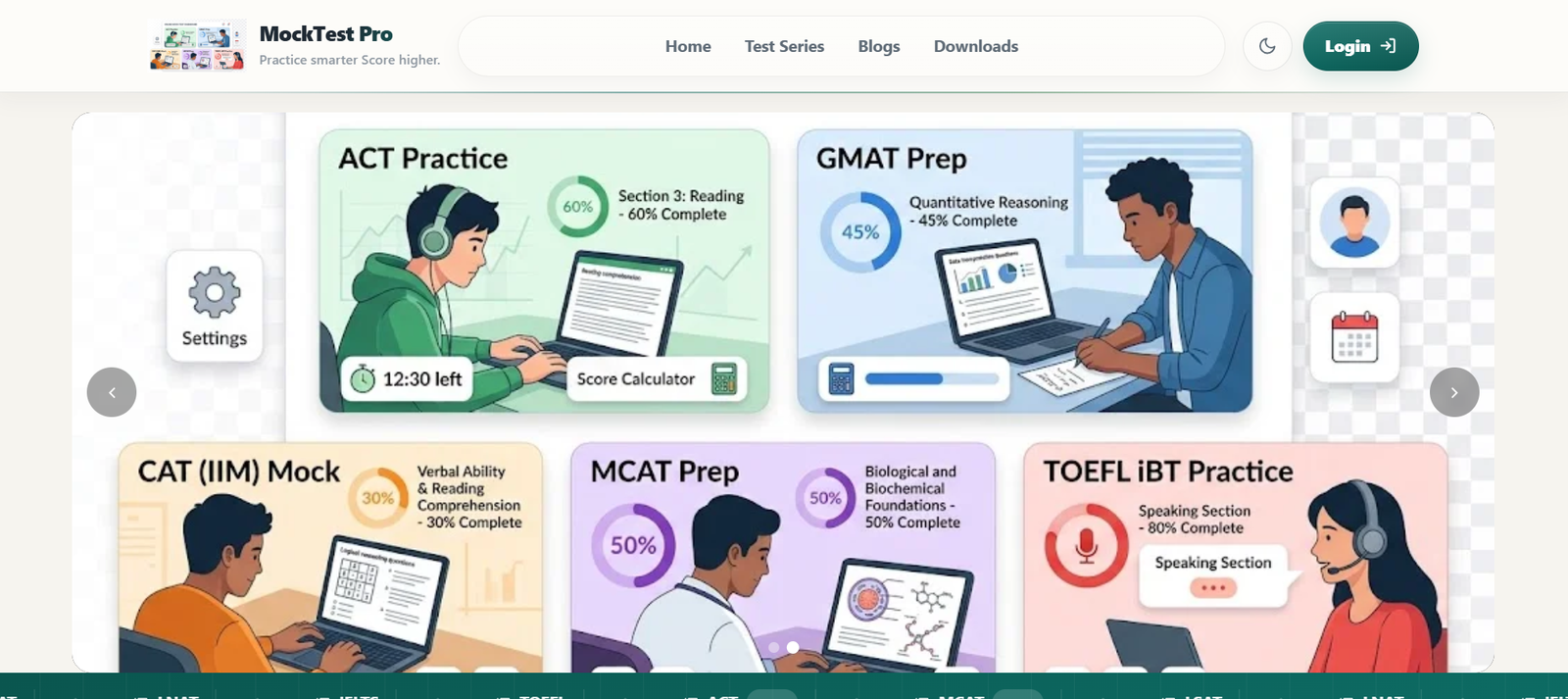
Under Slide Settings here the slide changing, removing and ordering is allowed. Uploading new slides , edit, hide, stop is also available with 360 customization for displaying each slides. This slides are shown in the Homepage CTA Section below the header navigation. Custom Brand can Upload their own Slides as much as they can.

-
Under Security Events here admin can view all the recent activities happened in the website such as Visitor Security Events, Brute-force IPs, SQL Injection Probes, Payment Bypass Signals, ,Blocked IPs, Student Events,Recent Suspicious Activity , Brute-force Attack Detection , Blocked Visitor List ,SQL Injection / Query Tamper Signals , Payment / Purchase Bypass , Penetration Testing Indicators ,Recent Visitor Feed ,Security Settings Snapshot , Quick Auto Block , Admin Security Posture . THIS WILL HELP WEBSITE OWNER TO PROTECT THE WEBSITE EASILY, AND IF ANYTHING BREACHES OWNER MUST NEED CONTACT WITH HOSTING PROVIDER.

-
Under the Settings Section Default time zone, Seo meta description, Seo keywords etc can be updated.
-
Under the My Account section Change Update, edit, the admin Name, Then Change the default email received from the Source code and password received from the Source Code.

Once you change you can use a new email and password for Admin panel Login.
make sure currently for security risk the admin email and password forget options are NOT Available due to security exposure.
Here the final estimated price for launching the website is not included the Domain and Hosting Fee it need minimum $60-$80 for a year if you are using Hostinger hostings.
For demo and Purchase Please check the product details here :: https://evanto.banglarkatha.in/product-details/digital-mock-test-platform-lms-solution-1780903477
want to make it yours use the link https://www.hostinger.com/in?REFERRALCODE=0LCSUVENDGNK